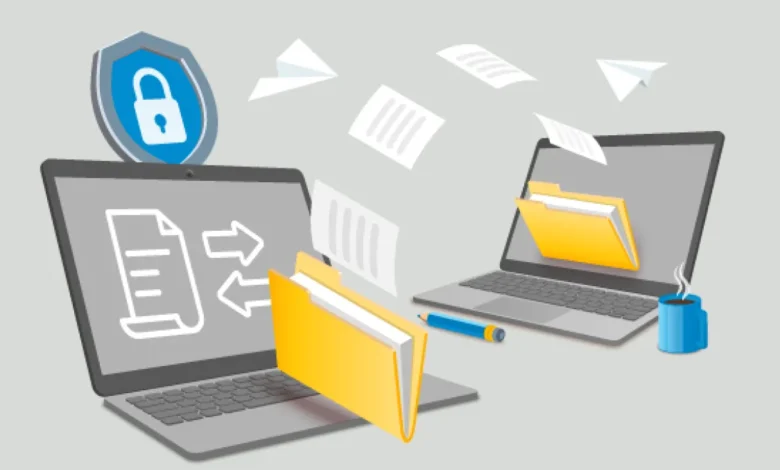
In today’s digital world, managing and sharing creative content has become a critical part of professional workflows. Whether you are a photographer, videographer, designer, or part of a creative agency, sending massive files to clients or collaborators can be challenging. Traditional email systems are often insufficient, with size limits that hinder productivity and slow down project delivery. This is where a large file transfer tool like FileSplash comes into play, offering a fast, secure, and efficient solution to your file-sharing needs.
Why Large File Transfer Matters for Creative Professionals
Creative work often involves high-resolution images, videos, and design files. These files can quickly exceed the 5MB or 25MB limits imposed by most email providers. Attempting to compress these files can compromise quality, while relying on physical drives or multiple uploads wastes time. A reliable large file transfer tool enables professionals to bypass these limitations, ensuring clients receive content in its original quality.
Moreover, clients increasingly expect quick access to assets. Meeting these expectations not only improves client satisfaction but also enhances your reputation as a professional who delivers efficiently and reliably. Using the right file transfer tool is no longer optionalit’s a necessity.
Features to Look for in a Large File Transfer Tool
When selecting a large file transfer service, several key features make a difference for creative professionals:
- File Size Capacity: You should be able to upload files of significant size, ideally up to hundreds of gigabytes, without interruptions. FileSplash allows uploads up to 300GB, accommodating even the largest creative projects.
- Security: Transferring sensitive content requires end-to-end encryption and secure links to prevent unauthorized access. Look for platforms that prioritize security, protecting both your files and client information.
- Speed: Time is often critical in client projects. A slow upload or download process can delay delivery and disrupt schedules. High-speed transfers ensure that large files reach their destination quickly.
- Ease of Use: Creative professionals need a tool that doesn’t require technical expertise. Intuitive interfaces, drag-and-drop uploads, and easy link generation streamline the process.
- Customization Options: For agencies and freelancers, branding matters. FileSplash allows you to customize download pages with your logo, colors, and slogans, providing a professional touch that enhances client experience.
- Team Collaboration: A good tool should support both individual and team accounts, enabling multiple users to upload, share, and manage files efficiently.
How FileSplash Simplifies Large File Transfers
FileSplash stands out as an ideal solution for creative professionals looking for a reliable large file transfer service. Here’s how it simplifies the process:
- No Email Limits: By using FileSplash, you can send files that exceed email limitations effortlessly. Your clients receive a download link rather than an oversized email attachment, eliminating common issues like bounced messages.
- Quick and Secure Uploads: The platform ensures that large files are uploaded swiftly and securely. With its cloud infrastructure, your data remains protected while being accessible anytime.
- User-Friendly Interface: FileSplash’s interface is simple and intuitive. Even non-technical users can upload files, generate links, and share them without any complications.
- Professional Branding: Customize download pages to reflect your brand identity. Adding logos, slogans, and brand colors ensures that clients experience a polished and professional presentation of your work.
- Flexible Accounts: Whether you are an individual freelancer or part of a large team, FileSplash offers flexible account options. Personal accounts are perfect for solo creatives, while team accounts support collaborative workflows and shared storage.
Steps to Transfer Large Files with FileSplash
Transferring files using FileSplash is straightforward and doesn’t require advanced technical skills. Follow these simple steps:
- Create an Account: Sign up for a free FileSplash account by agreeing to the terms and conditions. You can choose between a personal or team account depending on your needs.
- Upload Your Files: Use the drag-and-drop feature to upload your files. You can upload files individually or in bulk, with sizes up to 300GB.
- Customize Your Download Page: Add your branding elements, such as logos, slogans, and colors, to maintain a professional presentation.
- Generate a Download Link: Once the files are uploaded, FileSplash provides a secure link that you can share with clients via email, chat, or any other messaging platform.
- Client Downloads: Your clients click the link to download the files instantly. They don’t need an account or additional tools to access the content.
This process saves time, reduces complexity, and ensures that your creative work reaches clients in its original quality without technical hurdles.
Benefits of Using FileSplash for Creative Projects
Using FileSplash for large file transfers offers numerous benefits for professionals across creative industries:
- Time Efficiency: Avoid delays associated with email limitations or file compression. High-speed transfers mean projects are delivered faster.
- Improved Client Experience: Providing clients with branded download pages enhances professionalism and makes file access simple and intuitive.
- Secure File Sharing: Protect sensitive or high-value content with secure links and encryption, ensuring that files are only accessible to intended recipients.
- Collaboration Made Easy: Team accounts allow multiple users to upload and share files seamlessly, improving internal workflows and client collaboration.
- Scalability: Whether you handle small projects or massive productions, FileSplash scales to meet your needs, supporting files up to 300GB.
Real-World Use Cases for Large File Transfers
Creative professionals can leverage large file transfer tools like FileSplash in multiple scenarios:
- Photographers: Send high-resolution photos from weddings, events, or editorial shoots without losing quality.
- Videographers: Share raw footage, edited videos, or promotional materials with clients and collaborators efficiently.
- Design Agencies: Deliver entire design packages, including graphics, layouts, and project files, in a single transfer.
- Marketing Teams: Distribute large campaign materials, presentations, or multimedia content to clients or internal teams.
- Freelancers and Remote Workers: Seamlessly collaborate with clients worldwide without being restricted by file size limitations.
These scenarios highlight the flexibility and efficiency of using a dedicated large file transfer service over traditional email attachments.
Read Also: Reshaping Demand Planning Techniques for Seasonal Business Fluctuations
Tips for Maximizing Your Large File Transfer Experience
To get the most out of your large file transfer experience, consider these tips:
- Organize Files Before Uploading: Keep your files structured in folders to make it easier for clients to navigate and download.
- Use High-Speed Internet: Large uploads are faster with a stable, high-speed connection.
- Communicate with Clients: Provide instructions or context for files if necessary, enhancing clarity and reducing confusion.
- Regularly Update Branding: Keep your download pages fresh with updated logos or colors to reflect current branding.
- Monitor Downloads: Track who has accessed your files to ensure successful delivery and client engagement.
Conclusion
For creative professionals, the need to send and share large files is a daily reality. Email limits and traditional file-sharing methods can hinder productivity and client satisfaction. A reliable large file transfer tool like FileSplash solves these challenges by offering fast, secure, and user-friendly solutions.
With the ability to upload up to 300GB, customize download pages with professional branding, and generate simple download links, FileSplash ensures that your creative work reaches clients quickly and safely. Whether you are a freelancer, photographer, videographer, or part of a creative agency, using a dedicated large file transfer service is essential to maintaining efficiency, professionalism, and client trust.
By integrating FileSplash into your workflow, you can focus on what truly matters: creating outstanding work while ensuring it is delivered seamlessly to clients every time.