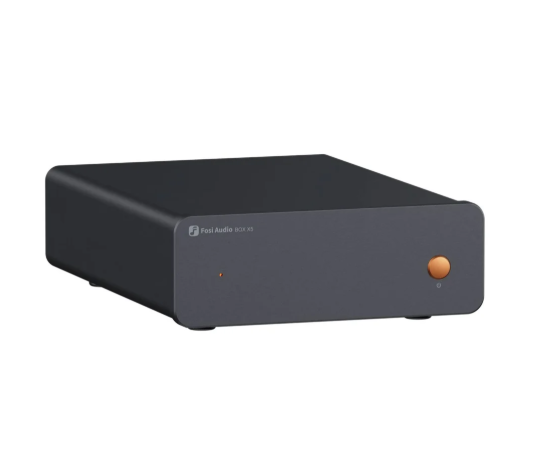
A preamplifier is a quiet part of a system. When it works, you forget it exists. When something goes wrong, you may hear hum, hiss, crackles or a volume that never seems right. The good news is that most problems have simple causes, and you can find them with a patient, step by step approach. This guide covers the most common issues with audio preamplifiers and how to deal with them, and it relates them to the product types listed on the Fosi Audio collection page.
Start with the basics
Before assuming a fault, check the obvious. Are all cables fully inserted? Is the correct input selected? Is the volume turned up and nothing muted? Is the power amplifier switched on and set to the right input? A surprising number of problems come down to a loose plug or the wrong setting.
Change only one thing at a time and note the result. That way you will know which change fixed the problem.
Problem one: hum
A low, steady hum is one of the most common complaints. It is usually caused by a ground loop, which happens when two or more connected devices have different electrical ground paths. The result is a small current flowing through the signal cables, which the system amplifies as hum.
Try these steps. Plug all components into the same power strip so that they share one ground reference. Move power cables away from signal cables, and cross them at right angles if they must meet. Try a different outlet. If a particular source causes the hum, disconnect it and see whether the sound is quiet. Balanced XLR connections can resist this kind of noise better than RCA, if both devices offer them.
Do not remove the ground pin from a power plug to cure hum. This is dangerous. If you cannot solve a ground loop, ask a qualified technician or use a purpose made ground loop isolator.
See also: How does lifestyle affect hair transplant results after 10 years?
Problem two: hiss
A steady hiss that does not change with the source is often caused by too much gain somewhere in the chain. Check whether the preamplifier’s volume is very low while the power amplifier’s gain is very high, or the reverse. Try raising the preamplifier volume and lowering the power amplifier’s input level, if it has one, to find a better balance.
Also check the cables. A damaged cable can add noise. Try a different one.
Problem three: crackles when turning the volume
Crackling as you turn the volume knob can mean that the control is dirty or worn. Turning it back and forth several times can sometimes clean the contacts. If it persists, contact the supplier for help. Do not spray cleaning products into the equipment unless the manual recommends it.
Problem four: one channel quiet or silent
First, check the cables on both sides. Swap the left and right cables at one point in the chain and see whether the quiet channel changes. If the problem moves, the cable or the connection is at fault. If it stays, check the next device in the chain. Test each component by connecting it to another known working device.
Problem five: low volume
If the system seems quiet even with the volume high, check that the power amplifier’s input sensitivity or gain is suitable. Check that the source is outputting at a good level. Some sources have their own volume setting, which may be turned down. Check that you are using the preamplifier’s variable output, not a fixed output, if it has both.
Problem six: distortion
Distortion at moderate volume can mean that one stage is receiving too strong a signal. Lower the output level of the source, or reduce the gain of an earlier stage. Make sure the power amplifier is not being pushed beyond its limit and that the speakers are suitable for the power being used.
Tube units
If your preamplifier uses tubes, extra issues may appear. The collection page lists tube products, such as the P3 Tube Preamplifier, the GR40 and the GR70, by name. Tubes can produce a faint ringing sound called microphonics if they pick up vibration, and aging tubes can cause noise or low output. Place the unit on a stable surface and check the manual about replacing tubes.
Use the manual
The collection page provides few technical details on individual products, so the manual and product page are your best sources. They explain which outputs are fixed or variable, how to set gain and what the indicator lights mean.
When to ask for help
If you have worked through these steps and the problem remains, contact the seller. Describe the symptoms clearly, list the equipment and cables you use, and note what you have tried. This helps the support team to help you quickly. If the equipment is under warranty, do not open it yourself.
Prevent problems
Keep the equipment clean and ventilated. Use good cables, handle plugs gently and tidy wiring. Switch off before changing connections. Keep the volume at a safe level to protect both your hearing and your speakers.
Summary
Most preamplifier problems come from connections, settings and grounding, not from broken equipment. Work through the checks calmly, change one thing at a time and use the manual. With patience, you will usually find the cause and return to a clean, quiet signal.